Photo-by-photo cloud control for Android cameras
Snapgate: selective backup prompts you seconds after taking a photo to choose whether it uploads, creating an immediate gate around cloud sync. visionatec built the Android photography utility to sit between your camera and Google Photos, offering notification-based selection, temporary modes, and automatic rules to shape backup behaviour. The app targets users who take high volumes of utility photos and want to prevent receipts and screenshots from filling their cloud library.
What Snapgate does in daily use
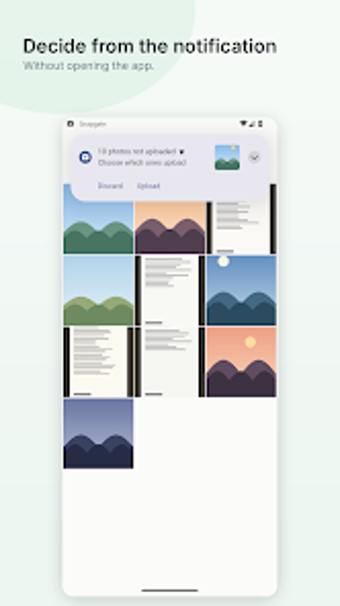
Snapgate intercepts the post-capture flow and shows a prompt seconds after a shot to either Upload or Discard, which lets you decide on each image before it reaches the cloud. The app never deletes the original file on the device when you choose Discard, so local storage remains unchanged while upload decisions happen at the moment of capture.
Which cloud services and permissions it uses
The app is designed primarily to gate additions to Google Photos, using Google’s photoslibrary.appendonly permission scope so it can only add new items and cannot read, modify, or delete existing library content. That write-only access, combined with the app’s stated no-server architecture, sends approved images directly from the phone to the user’s cloud library without an intermediate server.
How it handles different workflows and volume
Snapgate includes Temporary Modes to automatically allow or block uploads for a set period and Automatic Rules that act by time of day, day of week, or source folder, which makes it practical for travel or work bursts. Quiet Notifications let the app collect approvals silently in the notification shade, useful when you need minimal interruptions while shooting many reference images.
In conclusion, Snapgate suits frequent utility shooters who want precise backup control
Snapgate is a practical tool for Android users who take many transient photos and prefer to decide what reaches their cloud library; its notification-based gating and append-only permission reduce exposure of existing images. Expect a hands-on workflow that replaces blanket sync with per-photo choice, and accept that the app’s model focuses on selection rather than automated library management.